Lake Genius (.com)

Mark & Save Your Favorite Spots

You finally found it – that perfect cove with calm water, a sandy beach, and shade from the canyon walls. The kids are already asking to come back next year. But when next year rolls around, you’re squinting at the map, trying to remember which arm of the lake it was in.

Sound familiar? It happens to just about every boater who visits these lakes more than once. Water levels shift, landmarks change, and that “unforgettable” spot quietly becomes impossible to find.

Lake Genius fixes that. Drop a custom marker on any spot you want to remember, name it whatever makes sense to you, and it’s saved on your map – ready for next time.


Start Saving Your Spots – Download Free

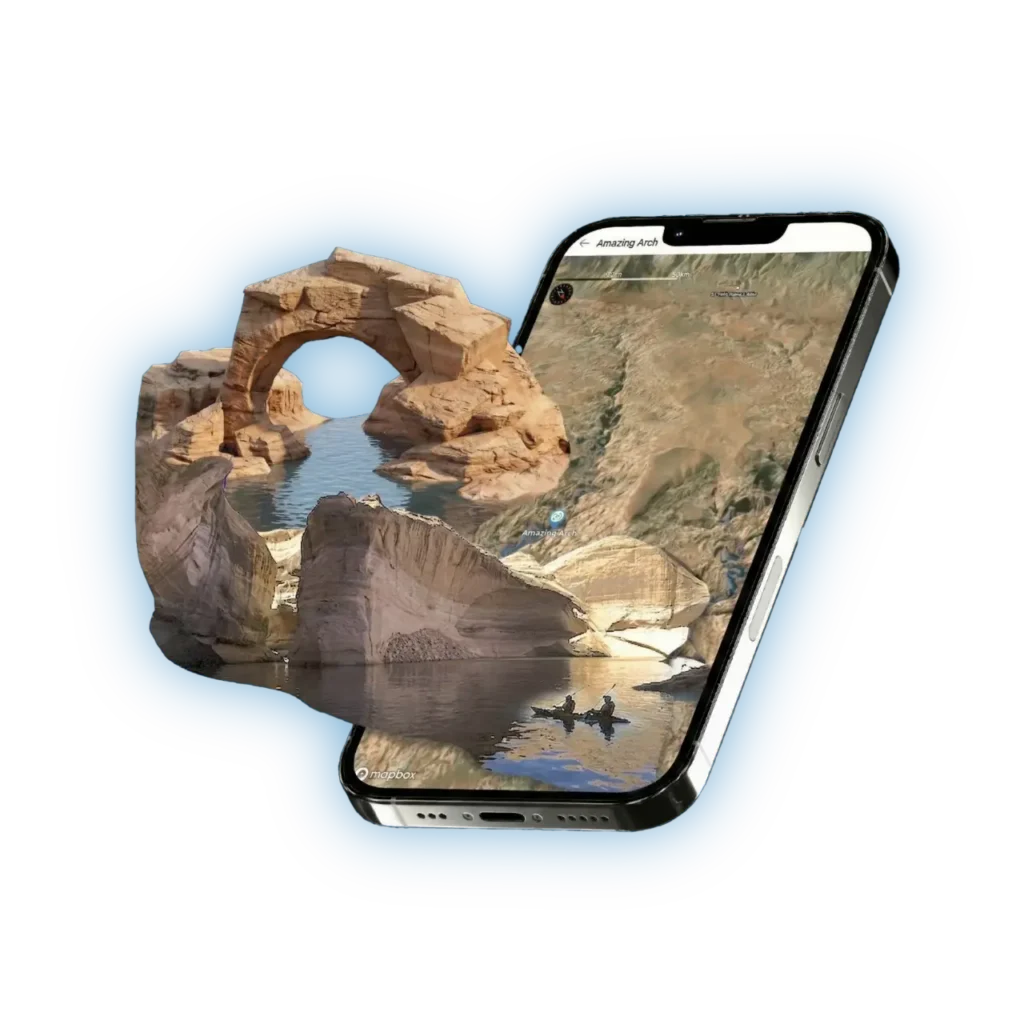
Lake Genius app on a phone next to a sandstone rock arch over water, showing a saved favorite spot called Amazing Arch

Unlimited Custom Markers

There’s no cap on how many spots you can save. Whether you’re marking one favorite beach or building a collection of go-to spots across the entire lake, every marker stays on your map for as long as you want it there.

01

Beaches and coves

Found a stretch of sand that’s perfect for anchoring? Mark it. Next trip, you’ll drive straight to it instead of spending an hour searching.

02

Fishing spots

That deep pocket where the stripers were biting? Drop a marker so you can come back to the exact coordinates – not “somewhere around that bend.”

03

Camping and anchoring areas

If you houseboat or overnight on the water, save the spots where you had great anchoring, good protection from wind, or easy access to hiking.

04

Hazards and no-go zones

Noticed a shallow area or submerged obstacle? Mark it as a personal warning so you don’t make the same mistake twice.

Favorite place map pin icon with a star

Choose Your Icon & Name

Every marker you create is yours to customize. Pick from a set of icons to categorize your spots – fishing, swimming, anchoring, camping, hazard, or general – and give each one a name that means something to you.

Call it “The Kids’ Beach,” “Striper Hole – July 2025,” or “DON’T ANCHOR HERE” – whatever helps you remember why you saved it. When you’re scanning your map during trip planning or out on the water, those custom names make all the difference.

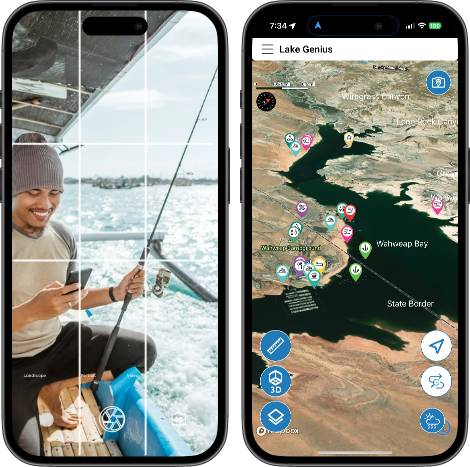
Two phones showing Lake Genius app — one with a photo of a fisherman, another with a lake map and points of interest
SHARE SPOTS

Share Spots via Text Message

Found a spot your buddy needs to see? Share it in a few taps. Lake Genius lets you send any custom marker to another person via SMS text message.

Here’s how it works: tap the marker you want to share, hit share, and send the text. The recipient gets a link – they tap it, Lake Genius opens on their device, and the marker appears on their map automatically. No manual coordinates, no “it’s kind of near the third canyon on the left.”

Planning a group trip?

Share a set of key spots with everyone heading out so the whole crew has the same map before you even leave the dock.

UPDATED DAILY – NOT LAST MONTH’S DATA

Saved Until You Delete Them

Your custom markers aren’t temporary. They stay on your map permanently – through app updates, through the off-season, through years of return visits. The only way a marker disappears is if you choose to delete it.

That means the spots you save this summer are waiting for you next summer, exactly where you left them. No re-entering coordinates, no guessing, no starting from scratch.

A Note on Cancellation

If you cancel your Lake Genius subscription, your saved custom markers and personal data will no longer be accessible. This is something to keep in mind if you’ve built up a collection of spots over time – keeping your subscription active means all your markers, routes, and personal data stay right where you left them.

Frequently Asked Questions

Yes. There’s no limit on the number of custom markers you can create. Save as many beaches, fishing spots, coves, and personal waypoints as you want.

Tap any custom marker on your map, hit the share button, and send it via SMS text message. Your friend taps the link, Lake Genius opens, and the marker appears on their map automatically.

If you cancel your Lake Genius subscription, your saved custom markers and personal data will no longer be accessible. Keeping your subscription active ensures all your saved spots stay on your map.

Yes. When you create a marker, you can choose from a set of icons (fishing, swimming, anchoring, camping, hazard, and more) and give each one a custom name.

Yes. Once you’ve downloaded your maps, all your custom markers are accessible offline – perfect for remote areas with no cell coverage.

Never Lose Your Favorite Spot Again

Every boater has a story about a spot they can’t find anymore. Lake Genius makes sure that doesn’t happen again. Save every beach, cove, and fishing hole that matters to you – and come back to them year after year.

Start Saving Your Spots – Download Free