
Offline Maps – No Cell Service? No Problem.
Most of Lake Powell has zero cell coverage. Remote stretches of Lake Mead and other large lakes aren’t much better. If your boating app stops working the moment you lose signal, it’s useless when you need it most.
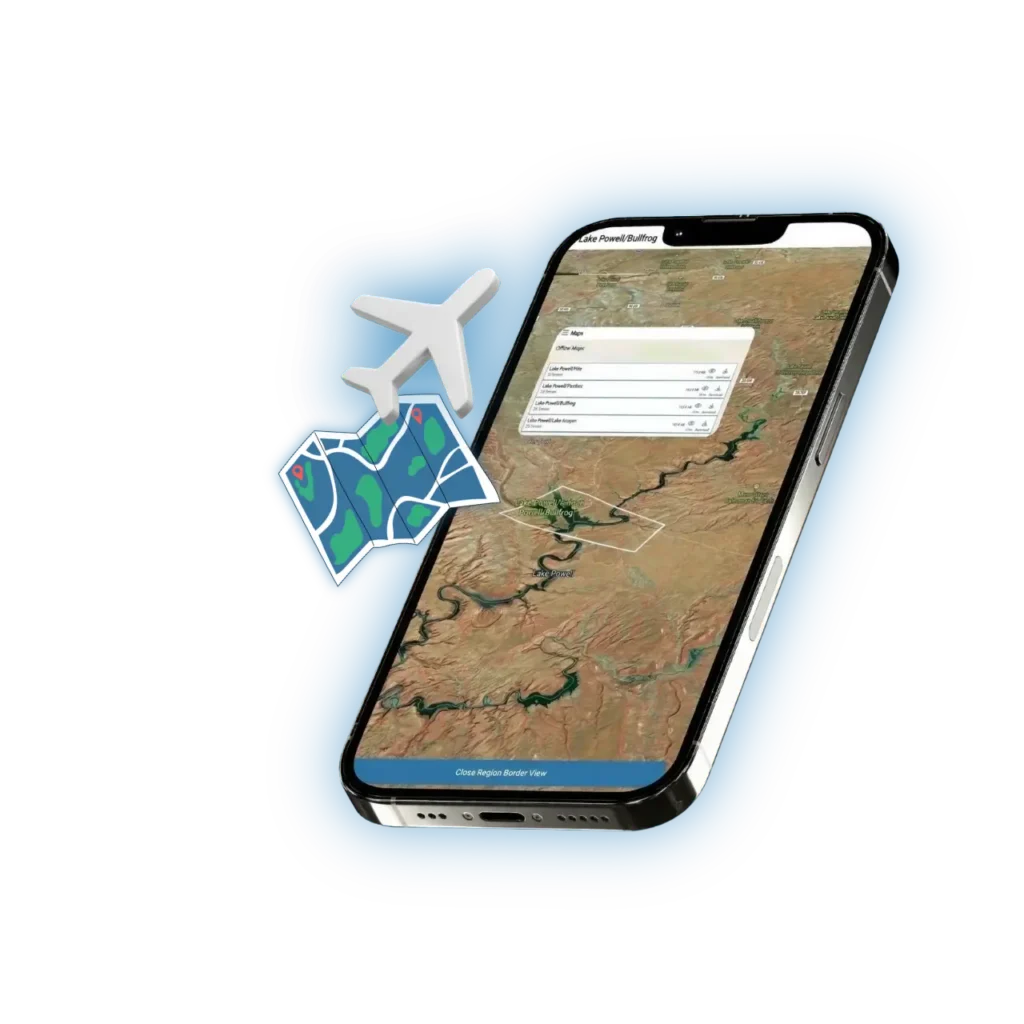
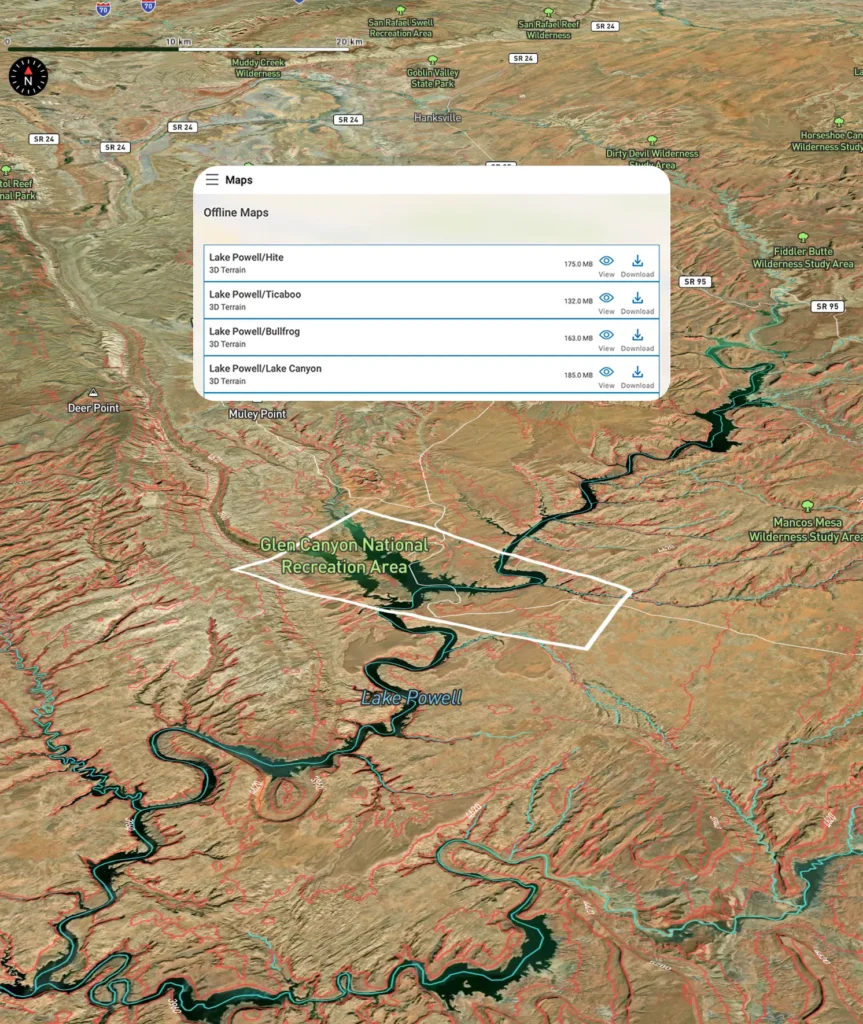
Lake Genius is built for exactly this situation. Download your maps before you leave – at home, at the campground, at the marina – and every core feature works offline. Underwater hazard data, points of interest, saved routes, custom markers, GPS tracking – all of it. No cell tower required.


Start your free trial · No credit card required
Download
Before You Go
Getting set up for offline use takes about a minute. While you have Wi-Fi or cell service, open Lake Genius and download the maps for your lake. The app handles the rest.
Download once, use as many times as you want
Your offline maps stay on your device until you choose to delete them. No need to re-download before every trip. Head back to the lake next month or next year – your maps are ready.
Seamless switching
The app transitions between online and offline use automatically. You won’t notice the difference. If you happen to pick up cell signal in a canyon, the app takes advantage of it. When the signal drops, everything keeps working.
Updated data when you’re connected
Every time you open the app with an internet connection, the app fetches the latest water level reading for your lake. That current level is then applied against your downloaded terrain data to show today’s hazards and red shoreline — no re-download required.
CORE FEATURE
Every Core Feature Works Offline
Once your maps are downloaded, you’re not getting a stripped-down version of the app. You’re getting the full Lake Genius experience. Here’s what works with zero cell signal:
Underwater Hazard Detection (X-Ray View)
The feature that sets Lake Genius apart works perfectly offline. Zoom in to see underwater terrain, contour lines, and hazards within 9 feet of the surface – all based on the most recent daily update you received before heading out. The red shoreline boundary is visible and accurate to your last data sync.
2,000+ Points of Interest
Every curated marker – marinas, slot canyons, petroglyphs, beaches, fuel docks, trailheads, and more – is available offline. Browse, search, and navigate to POI deep in the canyons with no signal needed.
Trip Planning & Route Tracking
Follow your planned route with GPS tracking even when you’re miles from the nearest cell tower. Your saved routes, distance estimates, and waypoints all work offline. Build your plan at home, then execute it on the water without a connection.
Photo Marker & Saved Spots
Snap photos, mark your favorite coves, tag fishing spots, and save custom markers – all offline. Your personal markers stay on the map and are there when you come back next time.
GPS Navigation & Location Tracking
Your device’s GPS works independently of cell service. Lake Genius uses that GPS signal to show your real-time position on the map, track your route, and help you navigate – no data connection required.
Technical Detail
Why Offline Matters When You’re on the Water
There’s a reason offline capability is one of the features boaters ask about most. When you’re on a big lake, being offline isn’t a rare edge case – it’s the normal state of things.


Lake Powell: Zero signal in most canyons
Ninety-six canyons, 2,000 miles of shoreline, and almost no cell coverage once you leave the marina. If your app requires a data connection, it’s a paperweight for most of your trip. Lake Genius was built with Lake Powell in mind from day one.

Remote launches and backcountry access
Many boaters launch from primitive ramps or remote areas where there was never any cell infrastructure to begin with. Offline maps mean you’re covered no matter where you put in.

Multi-day houseboat trips
Renting a houseboat for a week means spending days at anchor in areas with no signal whatsoever. Your maps, hazard data, saved spots, and routes need to work the entire time – not just at the dock.
Lake Genius doesn’t treat offline as a fallback mode. It’s a core part of how the app was designed. Because these lakes demand it.
What Works Even Better With a Connection
A handful of features tap into live data sources, so they need cell service or Wi-Fi when you use them. The good news: you can access these before you leave signal range, and they’re designed to complement your offline experience rather than depend on it.
Weather Info
NOAA weather data is pulled live, so you’ll need a connection to check the forecast. Pro tip: check conditions at the marina or campground before you head out, and you’re set for the day.
Daily Water Level & Hazard Sync
Your downloaded maps contain the full underwater terrain for your lake — detailed, stable, and ready offline. Each time you connect to the internet, the app fetches the latest water level and applies it to that terrain in real time. The result: today’s hazards and today’s shoreline, calculated fresh, every single day.
Location Sharing via Text
Sharing your GPS position via text message naturally requires a cell signal to send the SMS. But your GPS tracking and position on the map work independently – you just can’t send that location to someone else until you have signal.
That’s the full list. Everything else – navigation, hazard detection, POI, routes, markers, photos – works without any connection at all.
RELATED FEATURES
Even More When You’re on the Water
See What’s Under the Surface
The X-Ray View – Lake Genius’s signature feature – works offline and updates daily when you’re connected. See underwater hazards, terrain contours, and the current shoreline boundary before you navigate into unfamiliar areas.
Plan Your Trip From Home
Map out your entire route before you leave, check distances between stops, and save it for offline use. When you launch, your plan is ready to follow – no matter how far from cell coverage you go.
Explore All Features
Offline maps are one of nine features included in every Lake Genius subscription. See the full list and discover everything the app can do for your next trip.
TESTIMONIALS
What Boaters Are Saying
We’ve taken several family houseboat trips to the lake in years past. We normally relied on maps.
I was happy to find an affordable electronic option when I learned of Lake Genius, so downloaded it and subscribed prior to our trip in mid-October 2025. Looking at the app at home I was impressed with the amount of detail concerning elevations and landmarks. In use on the lake, I had a hard time finding a zoom level that would show me both buoy locations and enough elevation / depth information to be useful while underway, but recent updates have fixed that. We found the app very useful overall and a great value.
— DonJ60
Rarely do I leave reviews on apps, but this is an absolute must have in Lake Powell!!
Thank you for an awesome app to help with boating —especially with Lake Powell newbies like us. Heck, even my long time Lake Powell buddies thought this was amazing.
— Mxracer317
- Lake Powell
This app is awesome!
Such a great way to spot underwater hazards easily on your phone. Saves you a lot of hassle and money from hitting your prop on a rock!
— Liv.ballam
Frequently Asked Questions
Do Lake Genius maps work offline?
Do Lake Genius maps work offline?
Yes. Download your maps before your trip while you have Wi-Fi or cell service, and every core feature works offline – including underwater hazard detection, points of interest, trip planning, route tracking, saved markers, and GPS navigation.
What features work without cell service?
What features work without cell service?
All core features work offline: the X-Ray View (underwater hazard detection), 2,000+ points of interest, trip planning and route tracking, photo markers, saved custom markers, and GPS navigation. Weather info and location sharing via text require an internet connection.
Do I need to download maps before my trip?
Do I need to download maps before my trip?
Yes – it only takes a few minutes. Download the maps for your lake while you have a connection, and they stay on your device until you delete them. No need to re-download before every trip.
What requires an internet connection?
What requires an internet connection?
Weather info, daily water level updates, and sharing your location via text message. Everything else works fully offline.
Does GPS work without cell service?
Does GPS work without cell service?
Yes. Your device’s GPS works independently of cell service. Lake Genius uses that GPS signal to track your position on the map, follow saved routes, and navigate – no data connection needed.
How often do offline maps update?
How often do offline maps update?
Your downloaded maps contain the full underwater terrain for your lake and don’t need to be re-downloaded. Each time you open the app with an internet connection, it automatically pulls the latest water level and applies it to your existing maps — so your hazard view and red shoreline reflect today’s conditions without downloading anything new.
Is there a boating app that works at Lake Powell with no cell service?
Is there a boating app that works at Lake Powell with no cell service?
Lake Genius was built specifically for lakes like Lake Powell where cell coverage is virtually nonexistent once you leave the marina. Download your maps before you launch, and the full app – hazard detection, POI, route tracking, GPS, and saved markers – works with zero signal.
Can I use Lake Genius on a multi-day houseboat trip without service?
Can I use Lake Genius on a multi-day houseboat trip without service?
Absolutely. Download your maps before you head out, and every core feature works for as long as you need it – whether that’s a day trip or a week on a houseboat. Just open the app when you have signal before departure to make sure you have the latest water level loaded.
Download Your Maps Before You Go
Don’t get caught on the water with an app that doesn’t work without signal. Download Lake Genius, grab your maps, and head out with confidence – knowing that underwater hazard detection, 2,000+ points of interest, GPS navigation, and everything else you need is right there on your device. No cell tower required.
Start your free trial – no credit card required.